

How To Fix A Miele Vacuum Cleaner

If you had to pick a vacuum cleaner brand to have a problem with, Miele would be the pick of the bunch. Renowned for its generous product warranties and exceptional customer service, Miele offers onsite or over-the-phone troubleshooting assistance, and can send out a service technician to you. So it’s comforting to know you’re in good hands if your vacuum packs up.
But oftentimes, the hitches you face with a Miele vacuum cleaner can be resolved without resorting to external help. Sometimes the fix may be as simple as giving your vacuum a clean, or ordering a replacement part.
Read on for advice on some of the common problems that arise with Miele vacuum cleaners, and how to remedy them. Whether it be a Miele plug-in, or a Miele stick vacuum cleaner, the following guide should help if a problem arises.
Common problems and how to resolve them
No suction
You may notice debris on the floor you expected would have been sucked up, an unusual sound, or that there’s no suction when you hold your hand against the floorhead of the vacuum cleaner.
Restricted suction, or complete loss of suction, may be due to one of the following.
Blockage
Floorheads, suction tubes, suction hoses, and vacuum handles can easily block up if you’ve sucked up something too big, or awkwardly shaped (think wood chips, coins or toys). Sometimes a few objects will clump together and cause a blockage, such as paper and pet hairs.
To resolve a blockage:
- Turn off the vacuum.
- Shake the suction tube to see if you can hear anything rattle. If you do, you know it’s stuck in either the tube or the hose.
- Separate the components from each other a piece at a time, to find the blockage.
- If the floor head or handle are blocked, a metal coat hanger or piece of wire with a hook fashioned at one end can usually dislodge it.
If the suction tube or suction hose are blocked, you may need to use something longer, like a thin broom handle or piece of dowel.
To double-check a suction hose or tube is now clear, drop a small heavy object through it, to see it comes through (do this before you reattach the floor head).
Full dustbag, dust compartment filter or exhaust filter
Firstly turn off the vacuum cleaner and disconnect it from the electricity supply before you get into the body of the vacuum cleaner.
Inspect the dustbag, dust compartment and/or exhaust filter. If you’ve purchased a reusable dustbag for your Miele, you may need to wash and dry it, before returning it to the machine. Otherwise, you’ll need one of the replacement Miele vacuum cleaner bags.
Note, filters aren’t generally made for reuse, as their effectiveness is compromised when washed, particularly HEPA filters. If your filters are blocked, you’ll need a replacement Miele filter.
Not turning on
Assuming you’ve checked your power supply, you may be having one of the following issues with your vacuum stopping unexpectedly.
Hand controls not functioning properly
Battery issue
For a cordless miele stick vacuum cleaner, a non-functioning hand control may be caused by an incorrectly fitted battery. Check that the battery is slotted into the battery compartment correctly and try the vacuum. If it doesn’t work, you may need to change to new batteries. If it still doesn’t work, it may be another problem.
The electronics in the handle-mounted controls are faulty
You’ll need to completely disconnect the vacuum cleaner from any power source, then use a screwdriver to dismantle the electronics. You can order replacement electronics, or purchase a new handle which will include the electronics and battery. If you’re not confident you can replace the electronics yourself, contact Miele to organise a service technician.
Turns off automatically
For a cordless miele stick vacuum cleaner, a temperature limiter switch automatically turns off the vacuum cleaner if it gets too hot. (Some models have a temperature warning light.)
Overheating may be caused by a blockage in the vacuum, or due to a full dustbag and/or filters. Follow the steps outlined in the Blockage section above to resolve this issue. Once clear, the vacuum should no longer overheat.
Vacuum turns itself to lowest power setting
If you have a ‘ComfortClean’ button that lights up red on your cordless miele stick vacuum cleaner, the dust container may be full. It may also indicate that the pre-filter is dirty, or the fine dust filter is dirty. A full dust container simply needs to be emptied.
Note, if you have a ‘ComfortClean’ button that lights up yellow, the vacuum cleaner is running an automatic cleaning process. You just need to wait 20 seconds or so until the process finishes.
‘Dustbag full’ indicator comes on, despite bag being empty
The ‘dustbag full’ indicator actually indicates remaining filter performance, rather than how full your dustbag is.
This light will often appear if your vacuum has sucked up a lot of fine dust, blocking the pores of the dustbag without actually filling it. For best performance, you need to replace the dust bag with one of the Miele vacuum cleaner bags available online, despite it not being completely full. (This is why it’s recommended that you avoid vacuuming up a lot of fine dust, such as fireplace ashes, cement or plaster dust. Whilst there are alternative vacuum cleaners that can better handle fine particles, most domestic vacuums don’t, and you will waste vacuum bags if you do.)
Conversely, if the ‘dustbag full’ indicator doesn’t come on, but the dust bag appears to be completely full, it may be because your vacuum has sucked up something bulky, such as leaves, but the pores of the dust bag aren’t full, and hence the ‘dustbag full’ indicator isn’t being triggered. In this case, again, you need to replace the dustbag.
You also may have a faulty ‘dustbag full’ indicator if the dust bag is full but the indicator isn’t working.
How to clean filters:
A dirty pre-filter will need to be cleaned before it can continue to be effective.
- Remove the dust container to release the handle of the pre-filter.
- Remove and rinse the pre-filter under cold running water (don’t use any detergents).
- Dry the pre-filter thoroughly before replacing it.
A dirty fine dust filter
This process is a little more finicky so we won’t cover it here. It’s best to closely follow the instructions for cleaning the dust filter container from your vacuum instruction manual, or from the Miele Troubleshooting Guide. Note, you do not wash the dust filter itself. You’ll need 24 hours drying time before replacing the dust filter container.
Too much static
Static charge in suction tube
This one is not a fault as such. Friction can be created by dust in the suction tube, and this can statically charge the appliance, which can result in you feeling a very small static shock when you touch the suction tube. This is harmless, but unpleasant.
To avoid it, always hold the metal wire embedded into the underside of the Miele vacuum handle, which is there to eliminate any little jolts for you.
Static attracting dust to floorhead
You may notice fine dust/particles on the exterior of your floorhead. Again, this is a result of the static charge created by dust in the suction tube. You can spray the floorhead and casing with antistatic spray to prevent this. (Miele advises not to retrofit their vacuums with metal strips that prevent static, if the vacuum doesn’t already have one.)
Overheating
If your vacuum seems overly hot, it may not necessarily be a fault. Heating in the casing is to be expected, as the motor of the vacuum transfers a lot of heat to the casing.
In some cases, though, heating may be caused by a blockage to the suction tube, and this can impede discharge of the exhaust air from the vacuum cleaner. Airflow is also impeded when the dustbag and filters are full. If either of these issues occur, turn the vacuum off and remove it from its power source, separate the components to check for blockages, and check for full dustbag/filters. Then either remove the blockage, or replace the dustbag/filters, as per the instructions mentioned above.
For plug-in vacuum cleaners, you may find overheating is also generated by the cable. If any of the cable is not uncoiled from within the vacuum, this can add to heating. If this is the culprit, just pull the full length of the cord out of the vacuum to allow it to cool.
The vacuum cleaner smells bad
You may have sucked up something moist that is driving an unpleasant smell in the vacuum. You need to disconnect the vacuum from any power source and change the dustbag. You may also need to rinse out some of the washable components with warm water (don’t use detergents), and allow them to thoroughly dry before reassembling. Follow the instructions in your manual to do this.
Note that carbon filters are available to assist with neutralising smells in your vacuum, before the air is released from the vacuum again. Active Air Clean charcoal filters are recommended for this.
Broken parts/components
Vacuum cleaners these days are designed to be as lightweight as possible, and because of this, their components are usually mostly plastic. While the plastic used may be built to last as long as possible, there’s always the chance it will degrade, especially if you give your vacuum cleaner a thrashing.
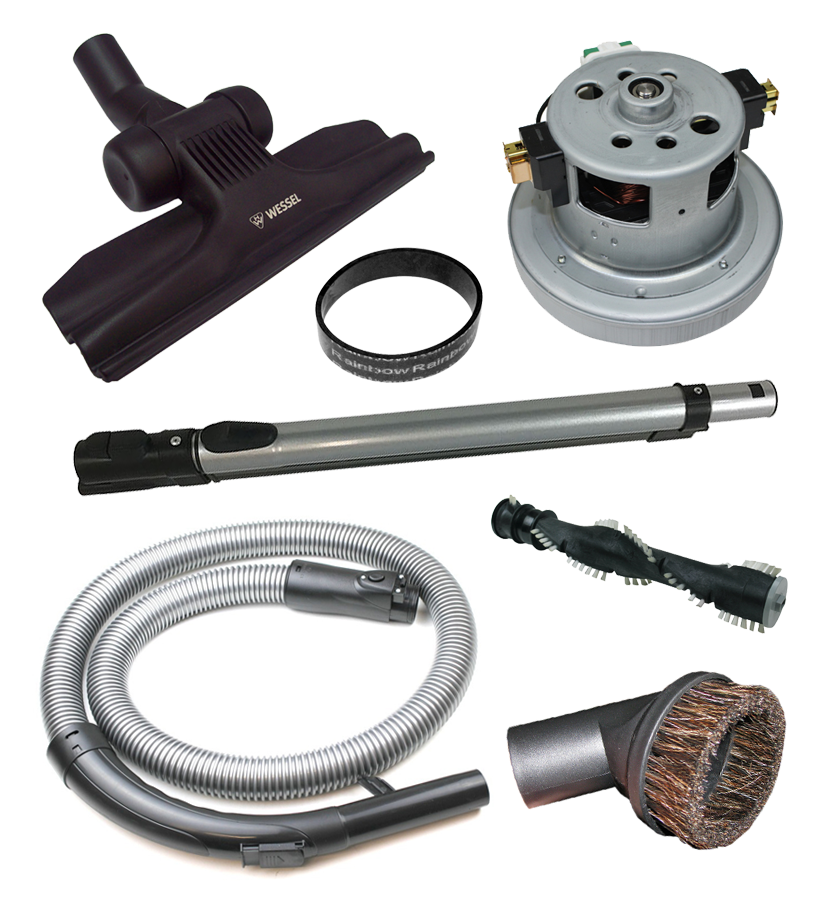
Components that most commonly get damaged are the ones that involve some sort of human interaction, such as dust bag holders, hose handles, and suction hoses. Miele vacuum cleaner spare parts like these are generally readily available, and usually ok to replace yourself. There are some parts that are more challenging to replace, and may require a vacuum service technician.
Where to get more help
If you have a problem with your Miele vacuum cleaner, see their Troubleshooting Guide. If your issue appears there, you may be able to resolve the problem yourself. You can also search YouTube for fixes on common vacuum cleaner problems, and of course, refer to your vacuum cleaner’s manual. (You should be able to find it online if you’ve thrown it out.)
In some cases, your vacuum might need a service. Miele can suggest service technicians in your area. In some cases, a technician may suggest that you order a new part.
Miele vacuum cleaner parts at Vacuum Spot
Vacuum Spot sells an array of Miele vacuum cleaner spare parts. Whether you have a Miele stick vacuum cleaner, or a cylinder vacuum cleaner with a bag, have a look to see if we have the part you need.